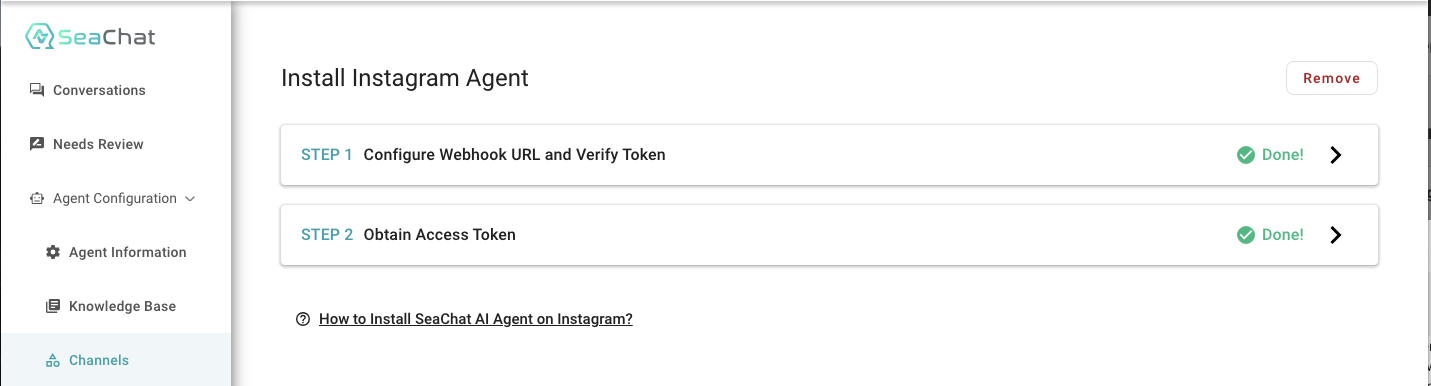
Instagram (不推薦使用)
注意:此 Instagram 整合已不再推薦使用。請改用Instagram 登錄使用。
前置需求
- Instagram Professional Account:您需要擁有 Business 或 Creator 帳戶才能設定 Instagram Messaging。如果您目前的帳戶類型不符,可以在 Instagram settings 中 切換到 Professional Account。
操作指引
步驟 1:建立 Instagram App
- 訪問 Meta Developer Site 並點擊右上角的 My Apps。
- 在下拉選單中選擇 Create App 開始建立。
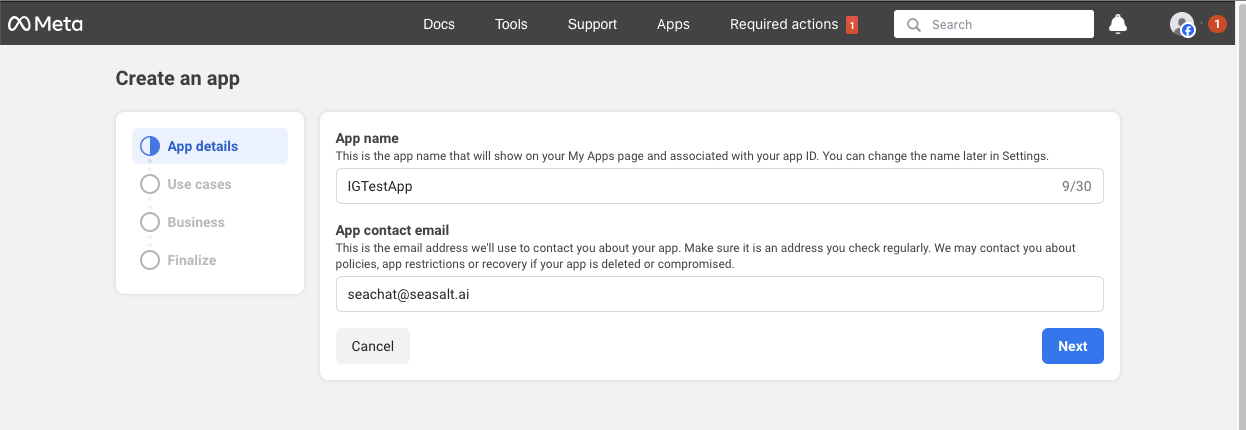
- 輸入應用程式的相關資訊,如 App Name 和 Contact Email,然後點擊 Next。
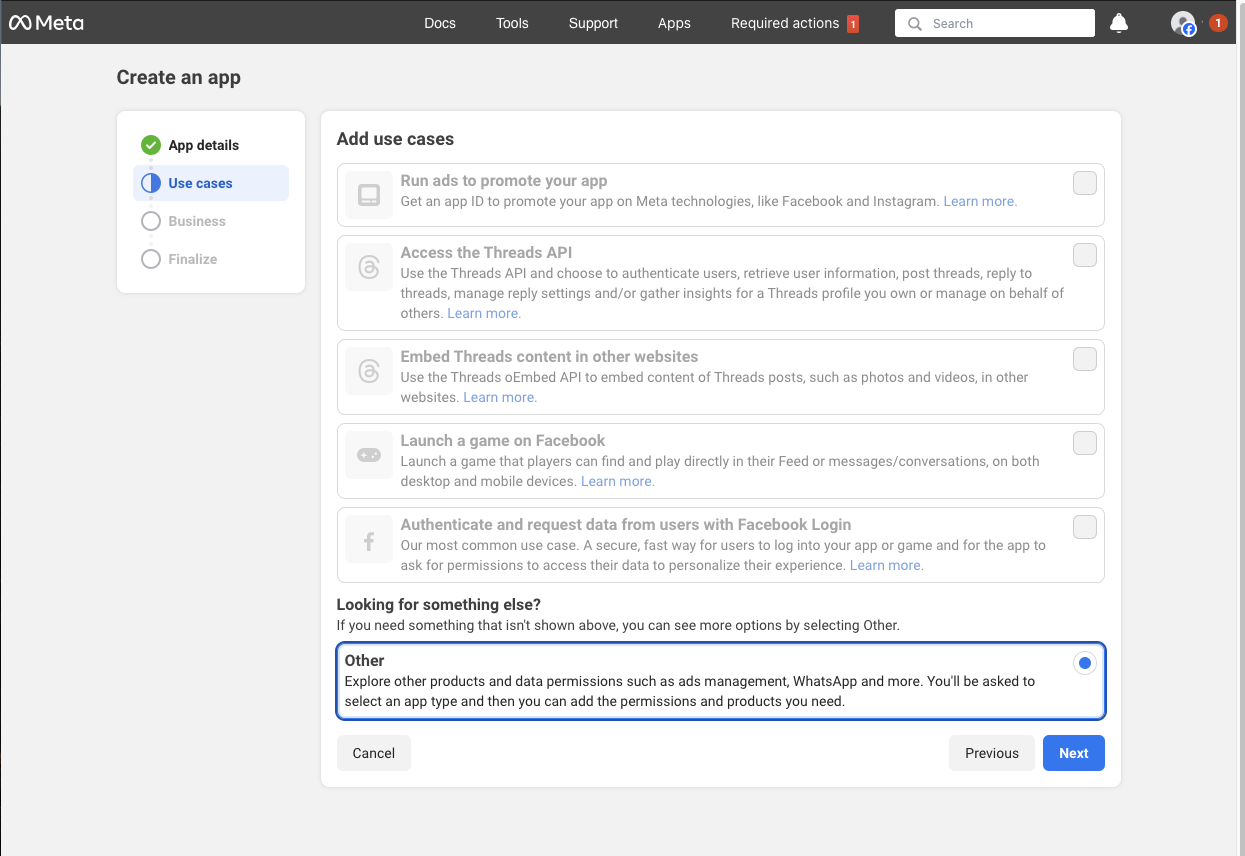
- 選擇一個使用案例,選擇 Other,然後點擊 Next。
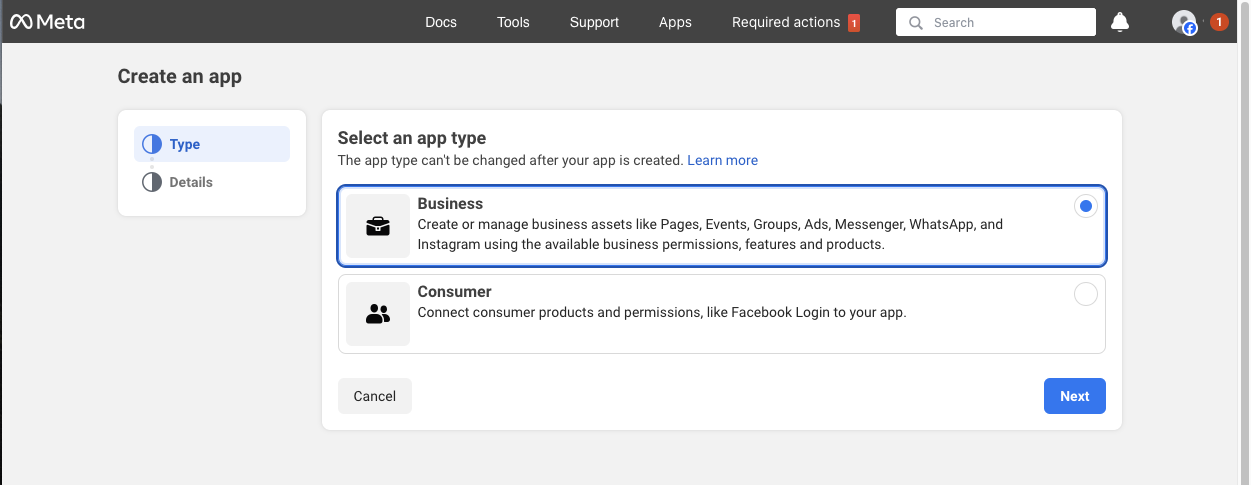
- 將 App Type 設定為 Business,然後點擊 Next。
- 檢查應用程式的詳細資訊後,點擊 Create App。

步驟 2:將 Instagram Product 加入應用程式
- 在 Add Products to Your App 區域中選擇 Instagram。
- 點擊 Set Up 按鈕將其新增至應用程式。

步驟 3:連結 Instagram Account
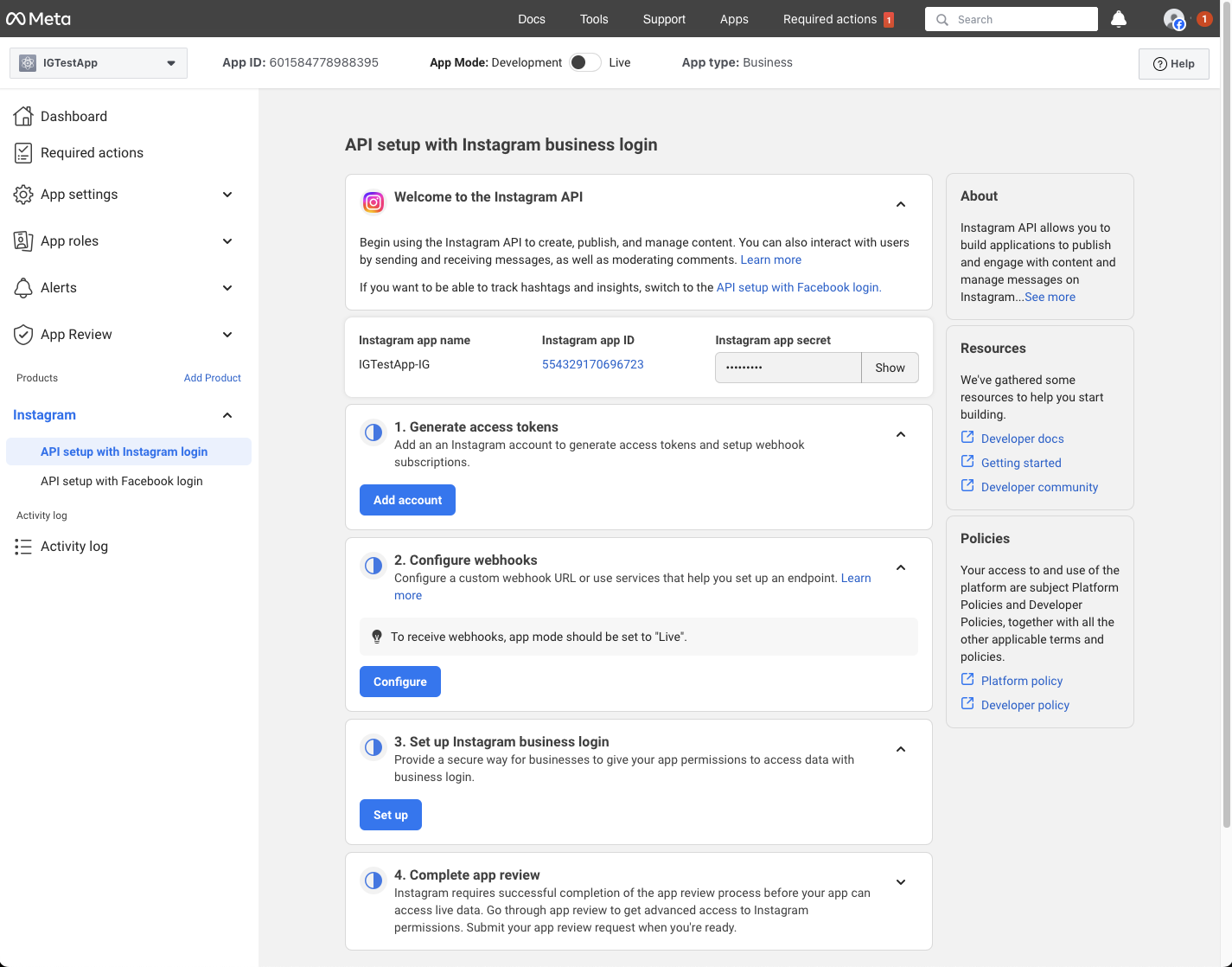
- 前往 API Setup with Instagram 頁面。
- 在步驟 1 點擊 Add Account,連結您的 Instagram Account。
步驟 4:配置 Webhook
- 在 SeaChat 獲取 Webhook URL。
- 前往 Agent Configuration → Channels → Instagram 查看 Callback URL 和 Verify Token。
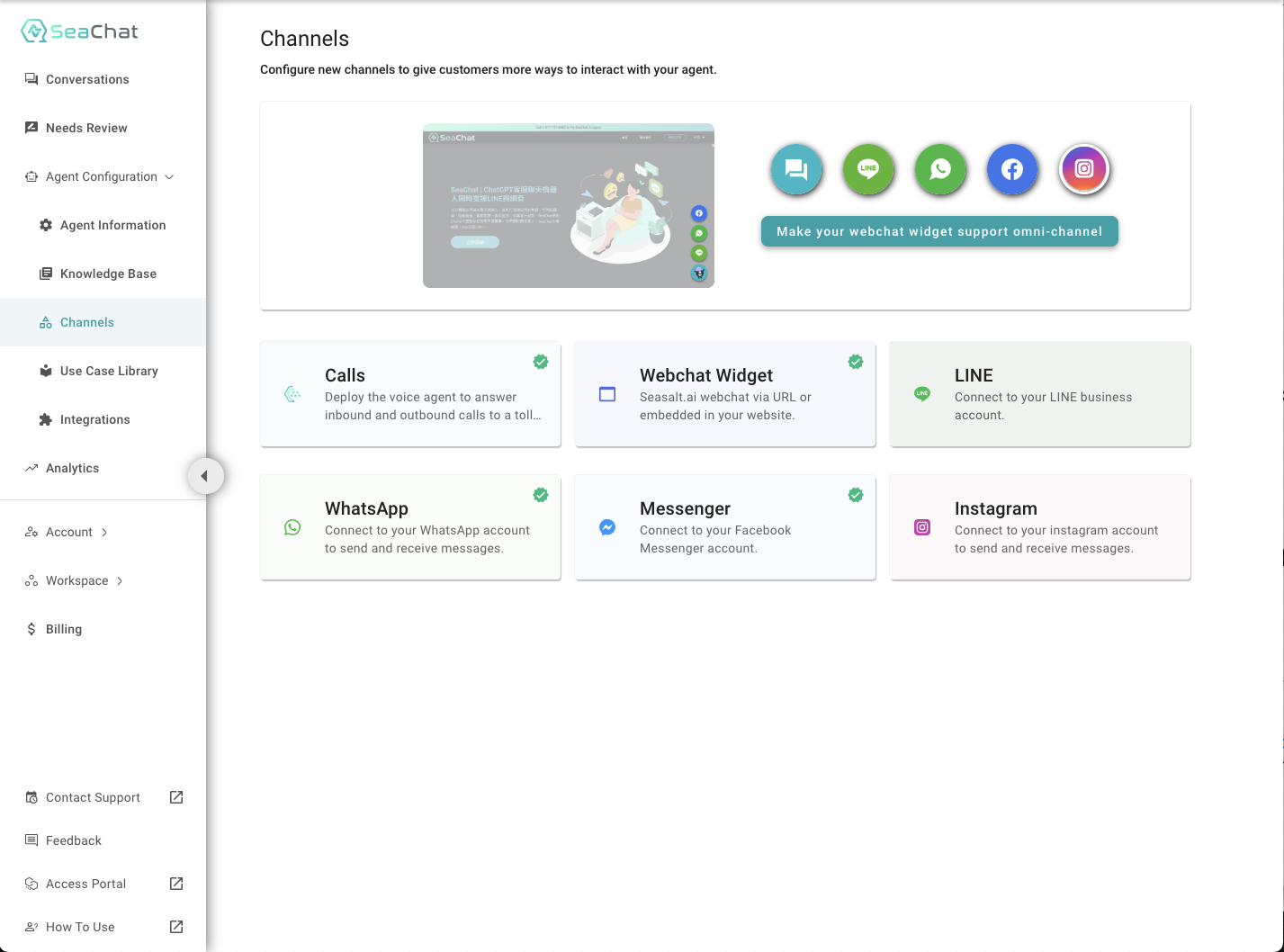
- 點擊步驟 1 中的 Set Up Verify Token。完成後,會彈出提示框確認 Token 已成功儲存。

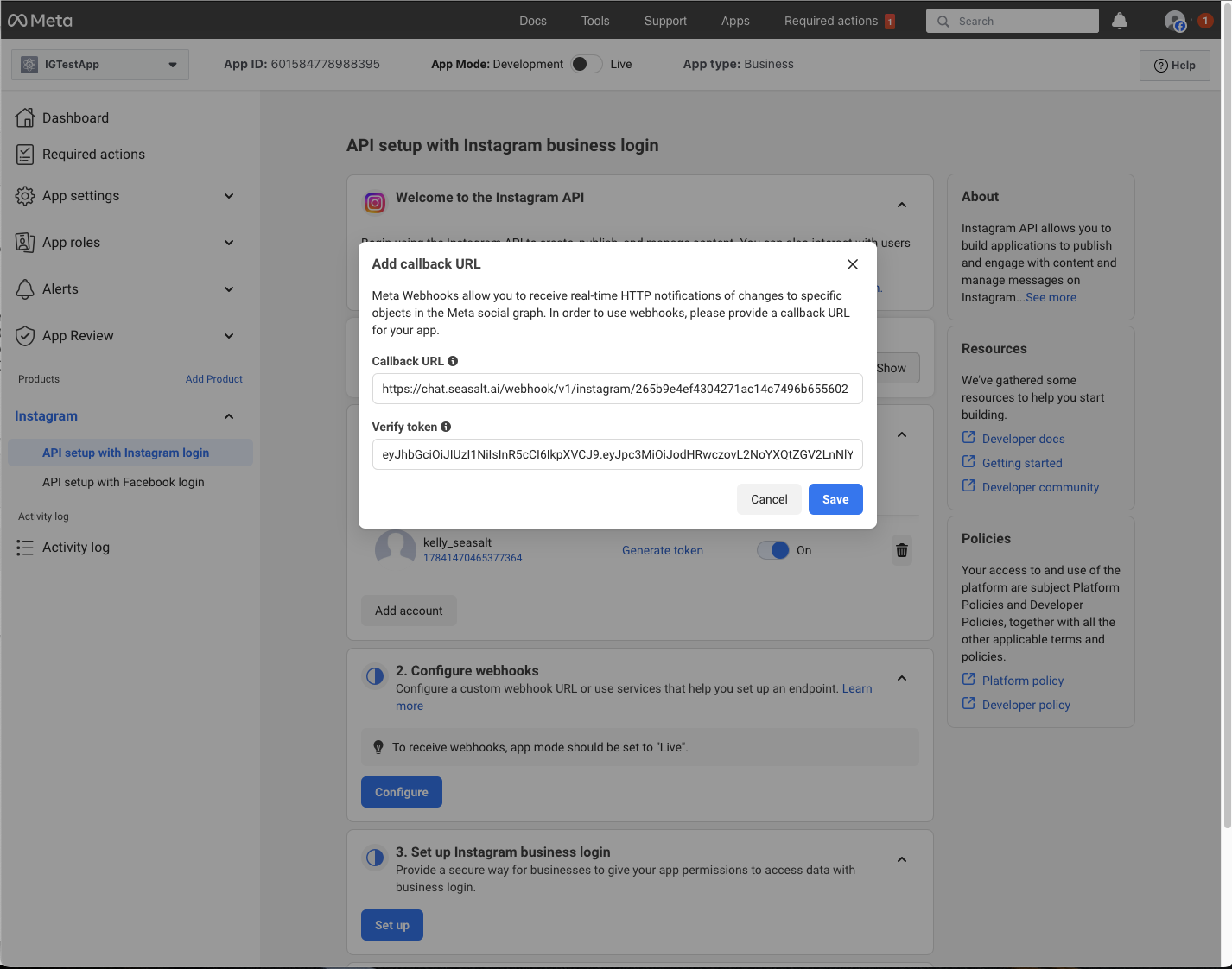
- 回到 Instagram App Dashboard,將 Webhook URL 和 Verify Token 貼入相應欄位並點擊 Save。
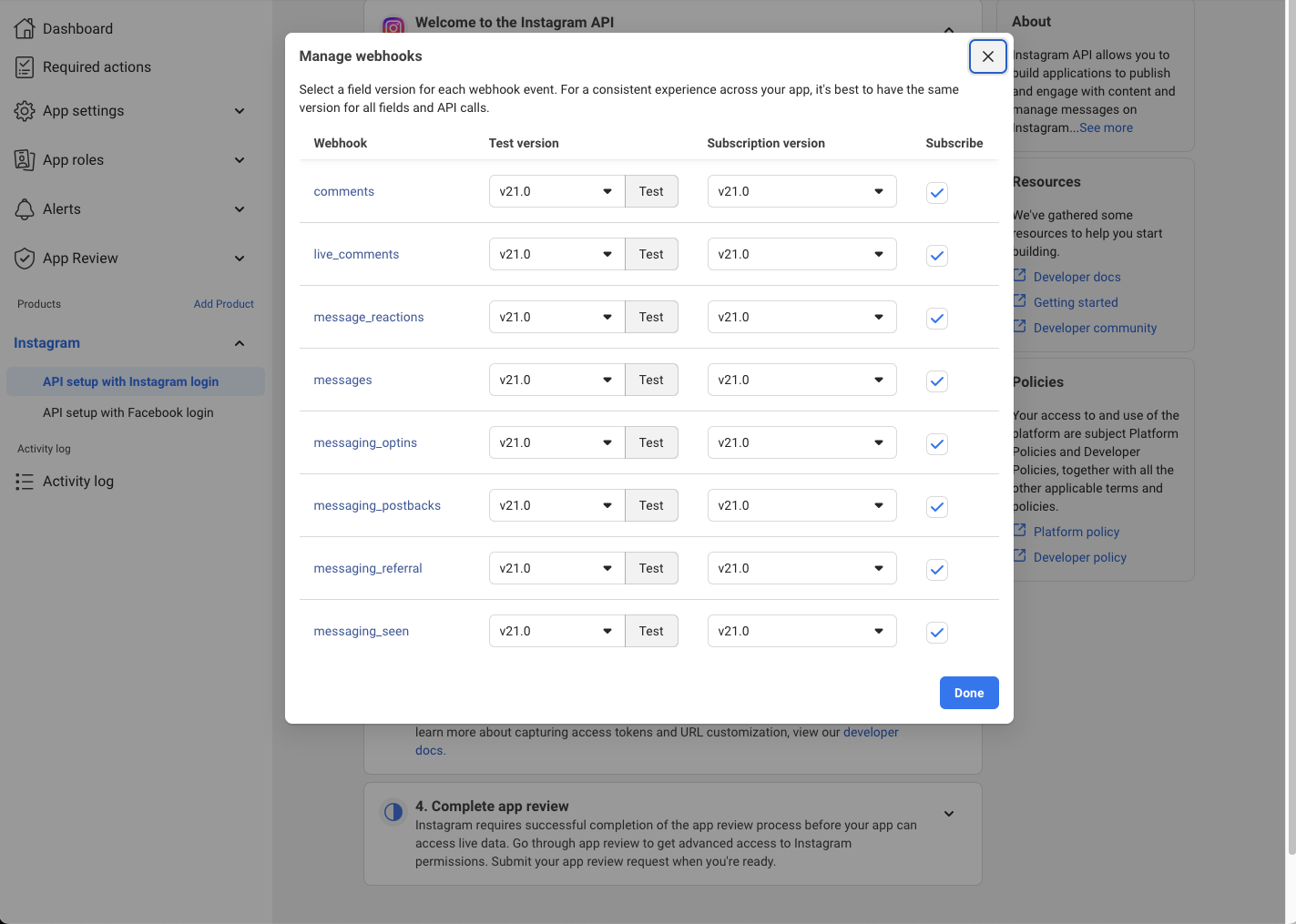
- 點擊 Manage,啟用所有必要的 Webhook Events。
步驟 5:生成 Access Token
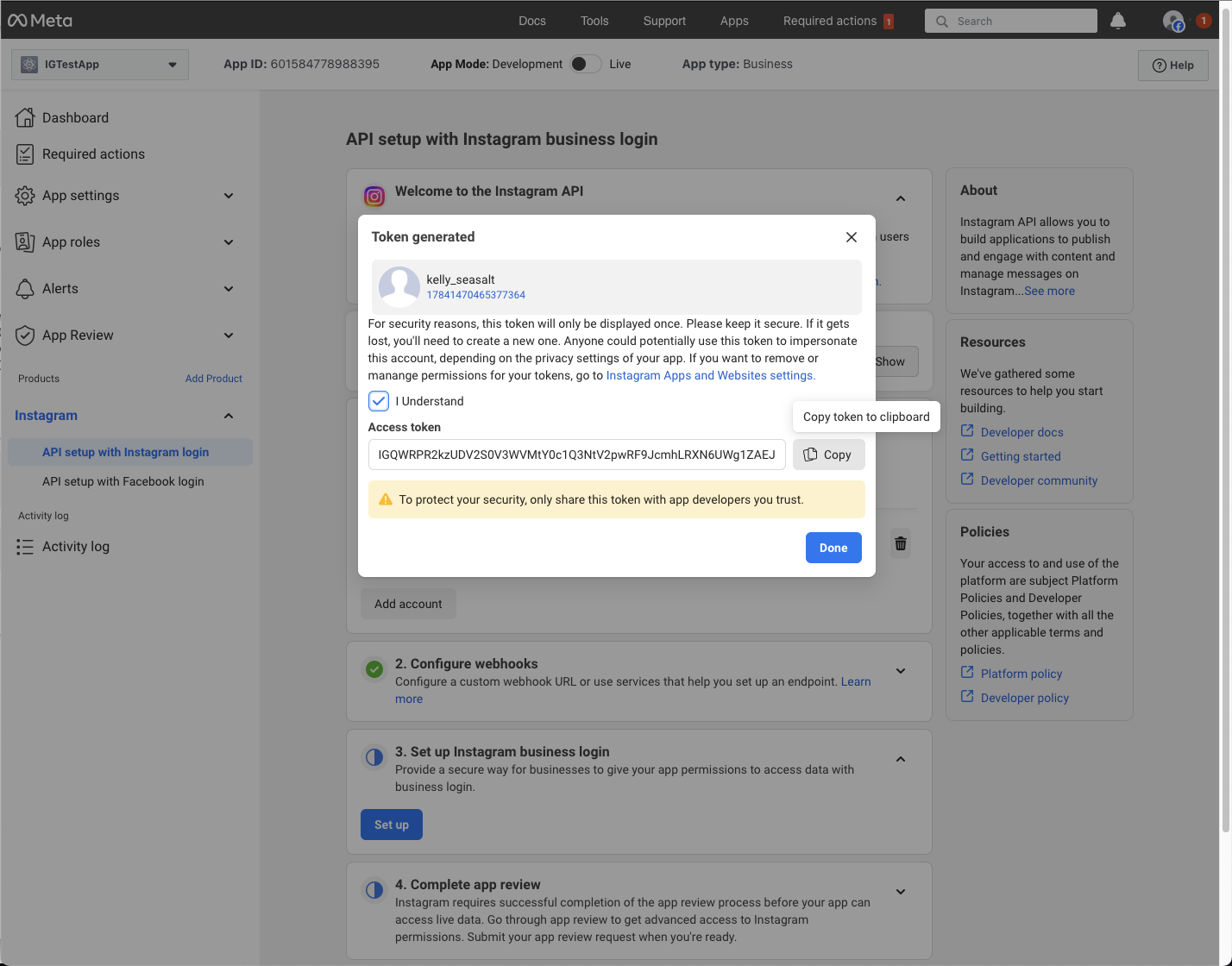
- 在 Generate Access Token 區域中點擊 Generate Token 按鈕。
- 在彈出窗口中勾選 I Understand,然後複製 Access Token。
- 將複製的 Token 貼到 SeaChat Instagram Setup Interface 的步驟 2,然後點擊 Save。
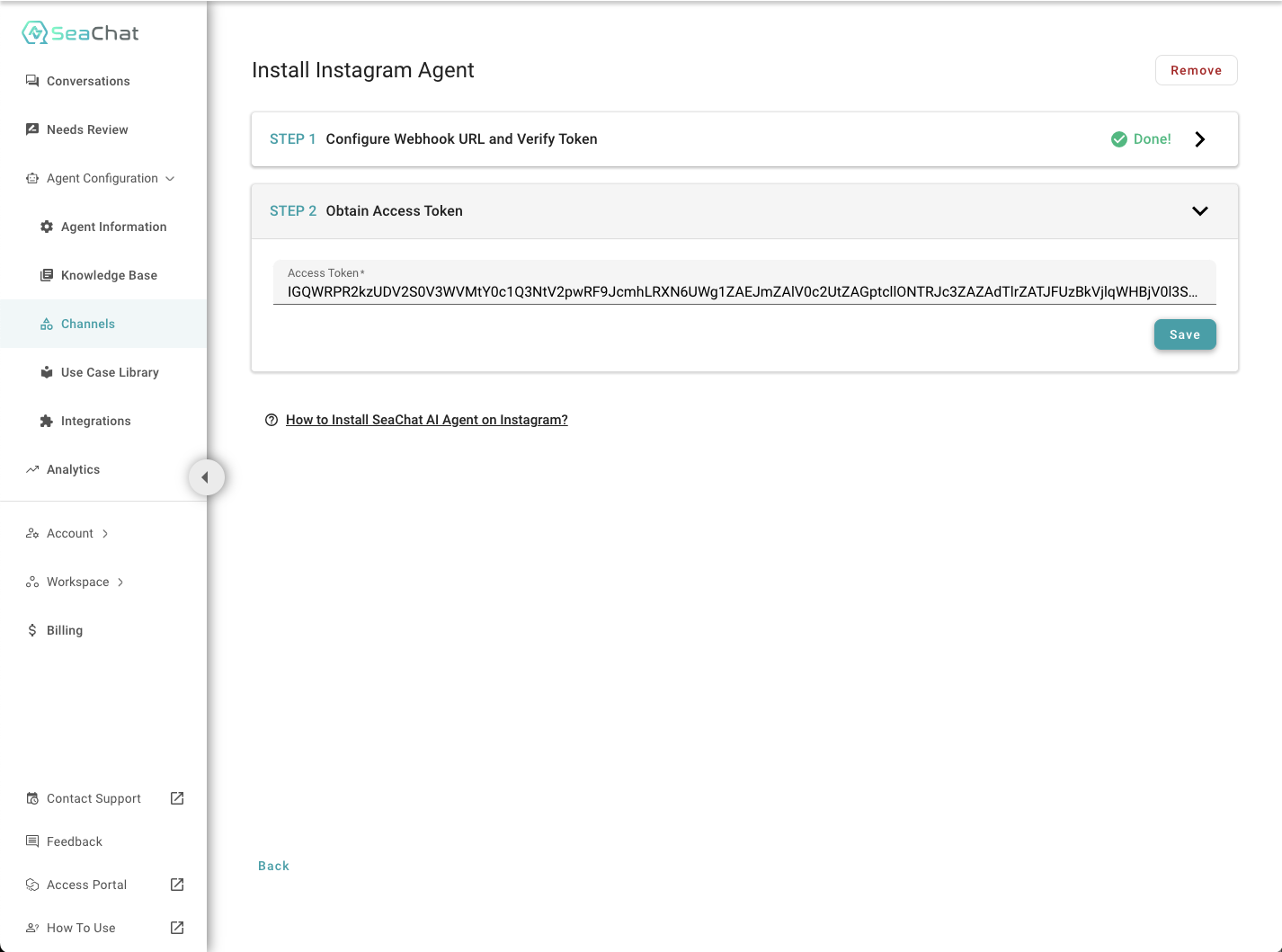
完成所有步驟後,您已經成功在 SeaChat 中設置 Instagram Integration!