Daily Executive Insights
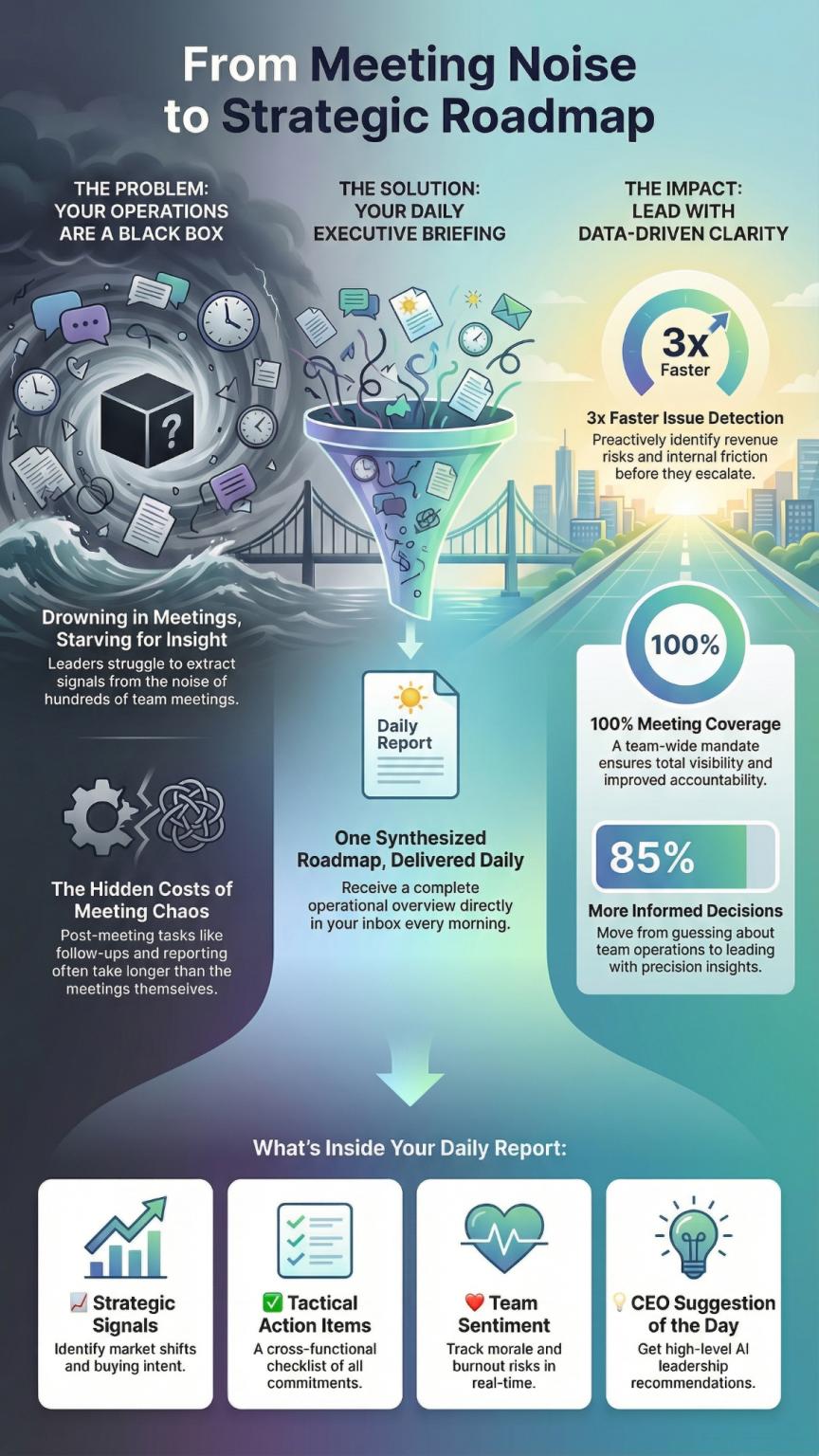
SeaMeet Executive Insights is a high-level organizational intelligence feature designed to help leaders overcome the “Individual Productivity Trap.” While standard AI note-takers help individuals, Executive Insights synthesizes data from every meeting across an entire organization to provide leaders with a daily, actionable intelligence report.
What you will learn in this video:
In this video, we dive into SeaMeet Executive Insights—the ultimate tool for organizational intelligence. While most AI tools focus on individual productivity, SeaMeet Executive Insights bridges the gap by synthesizing every meeting in your company into a single, daily executive briefing.
Learn how to set up your dashboard, configure global team settings, and leverage AI-driven reports to stay ahead of market shifts, team sentiment, and critical blockers.
What we cover:
0:00 Introduction to SeaMeet Executive Insights
0:05 Avoiding the “Individual Productivity Trap”
0:24 Your Daily Executive Summary, Delivered
0:38 How to Set Up Executive Insights Dashboard
0:46 Configuring Global Team Settings
1:11 Accessing Your Daily Briefing
1:24 Strategic Signals: Identify Market Shifts
1:35 Tactical Action Items: Cross-Functional Accountability
1:46 Sales & Customer Pulse: Hear Your Customers
1:55 Blockers & Risks: Solve Issues Early
2:03 Team Sentiment Snapshot: Monitor Morale
2:16 CEO Suggestion of the Day
2:24 The Power of Organizational Intelligence
1. Prerequisites
Before enabling Executive Insights, ensure you have:
- A registered account at SeaMeet.ai.
- The SeaMeet Chrome Extension installed: Download here.
2. Setting Up Executive Insights
To activate the daily briefing for your leadership team:
- Access the Dashboard: Log in to your SeaMeet account.
- Navigate to Feature: Click on Executive Insights in the left-hand sidebar.
- Enable Reports: Go to the Settings tab.
- Toggle Activation: Switch the “Daily Reports” toggle to ON.
- Configure Preferences:
- Language & Time Zone: Set your preferred language (e.g., English) and local time zone to ensure reports arrive at the start of your workday.
- Manage Recipients: Add the email addresses of stakeholders and leaders who should receive the report.
- Schedule: Select which days of the week (e.g., Mon–Fri) you wish to receive the intelligence briefing.
3. Understanding the Daily Report
The report is delivered via email and accessible through the dashboard. It contains six key intelligence modules:
- Strategic Signals: AI-identified market shifts and high-intent buying signals.
- Tactical Action Items: A cross-functional checklist of every commitment made across all meetings.
- Sales & Customer Pulse: Unfiltered feedback and objections directly from the “voice of the customer.”
- Blockers & Risks: Immediate flagging of hurdles to prevent minor delays from becoming major setbacks.
- Team Sentiment Snapshot: An aggregate view of team morale and burnout risks across hundreds of conversations.
- CEO Suggestion of the Day: An AI-generated, high-level strategic recommendation based on the day’s total data.
4. Key Benefits
- 100% Meeting Coverage: Eliminates organizational “blind spots.”
- Rapid Issue Identification: Identify critical issues 3x faster than traditional reporting.
- Total Visibility: Transforms siloed data into a unified road map for leadership.