Customer Satisfaction (CSAT) Survey
Collect actionable feedback with customizable, automated, and manually-triggered post-conversation surveys.
Customer Satisfaction (CSAT) surveys help you understand how customers feel about their interaction with your support team. With SeaX, you can configure a custom CSAT message, let agents send it manually, or automate delivery based on your own timing rules. The system intelligently parses customer replies and ensures feedback collection is smooth and unobtrusive.
Why CSAT Matters
CSAT surveys provide measurable insights into customer experience. By using CSAT, support teams can:
- Track satisfaction trends over time
- Identify low-rated conversations and root causes
- Drive agent coaching and quality improvements
- Automate feedback collection to reduce manual work
- Maintain compliance with channel-specific messaging rules
Where to Configure CSAT in the UI
-
Navigate to: Side Menu → Workspace → Channels
-
Click the card to open a configuration popup where CSAT settings can be enabled.
CSAT surveys are available for these channels: LINE, WhatsApp, Instagram, and Messenger. Don’t see a channel you need? Contact our support team to discuss your requirements at info@seasalt.ai.
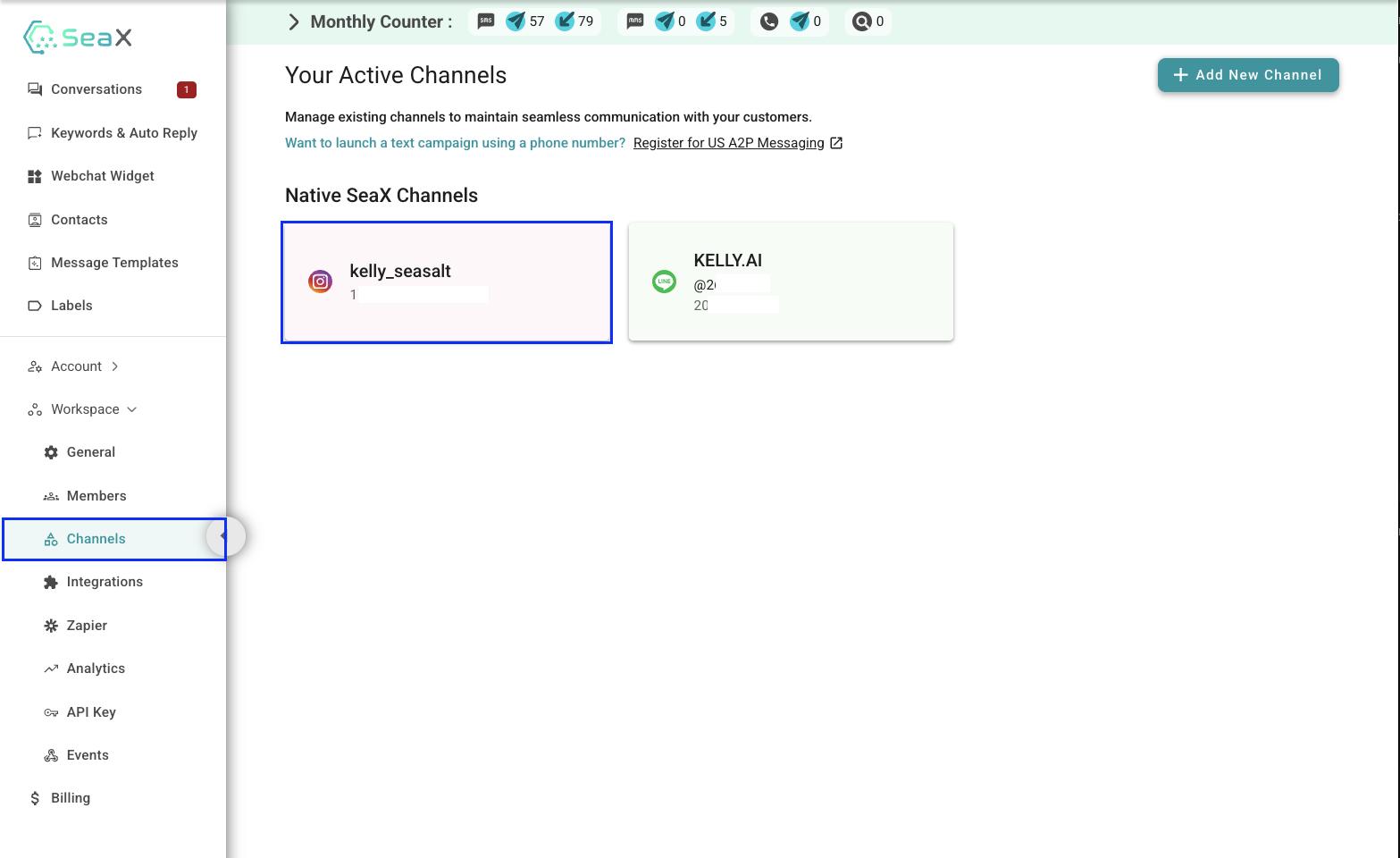
Enabling and Customizing CSAT Surveys
Inside the channel configuration popup:
1. Enable CSAT
Toggle Enable Customer Satisfaction Survey.
2. Write the CSAT Message
Enter the message you want customers to receive.
Important guidelines:
- Only replies 1, 2, 3, 4, or 5 are counted as valid CSAT ratings.
- Your message should clearly instruct customers to reply with a single digit.
Example:
“Please rate your experience from 1–5 by replying with a number.”
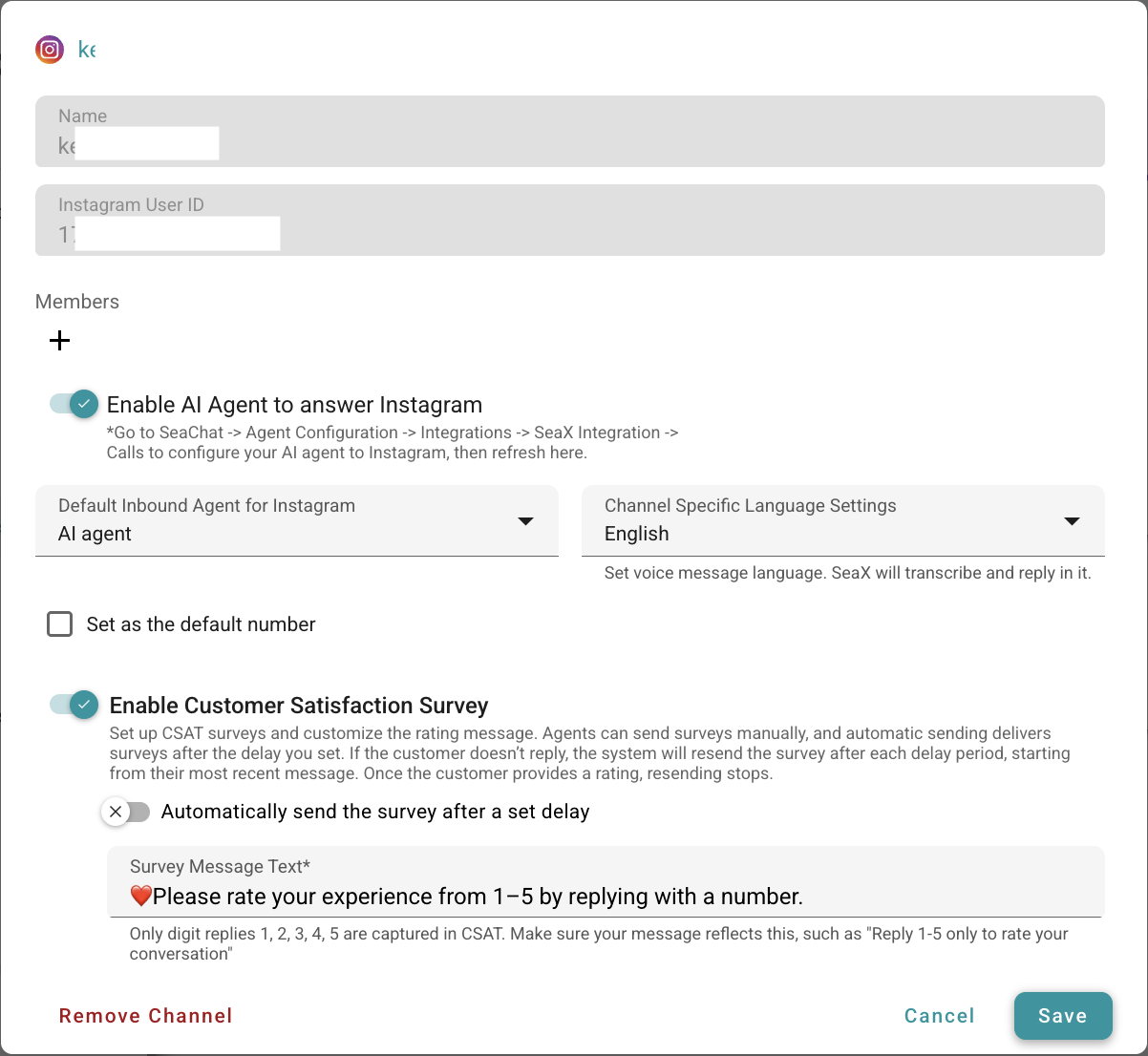
3. Save Changes
Once saved, CSAT becomes available for both manual and automated sending for this channel.
Manually Sending CSAT Surveys
Agents can send a CSAT survey anytime during a conversation.
How:
- Open a conversation
- Click the CSAT icon in the top-right corner of the conversation window
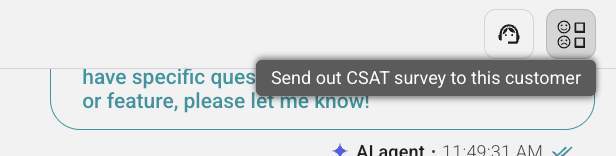
Meta Channel Restrictions
For Instagram, Messenger, and WhatsApp:
- The customer must have sent a message within the last 24 hours
- If outside the 24-hour window, the CSAT icon is disabled per Meta policy
You may manually send CSAT surveys as many times as needed. Manual sending doesn’t have any limit.
Automatically Sending CSAT Surveys
1. Enable Auto-Send
Toggle Automatically send the survey after a set delay.
2. Configure Delay Time
Set the number of minutes to wait after the customer’s last inbound message before automatically sending the CSAT survey.
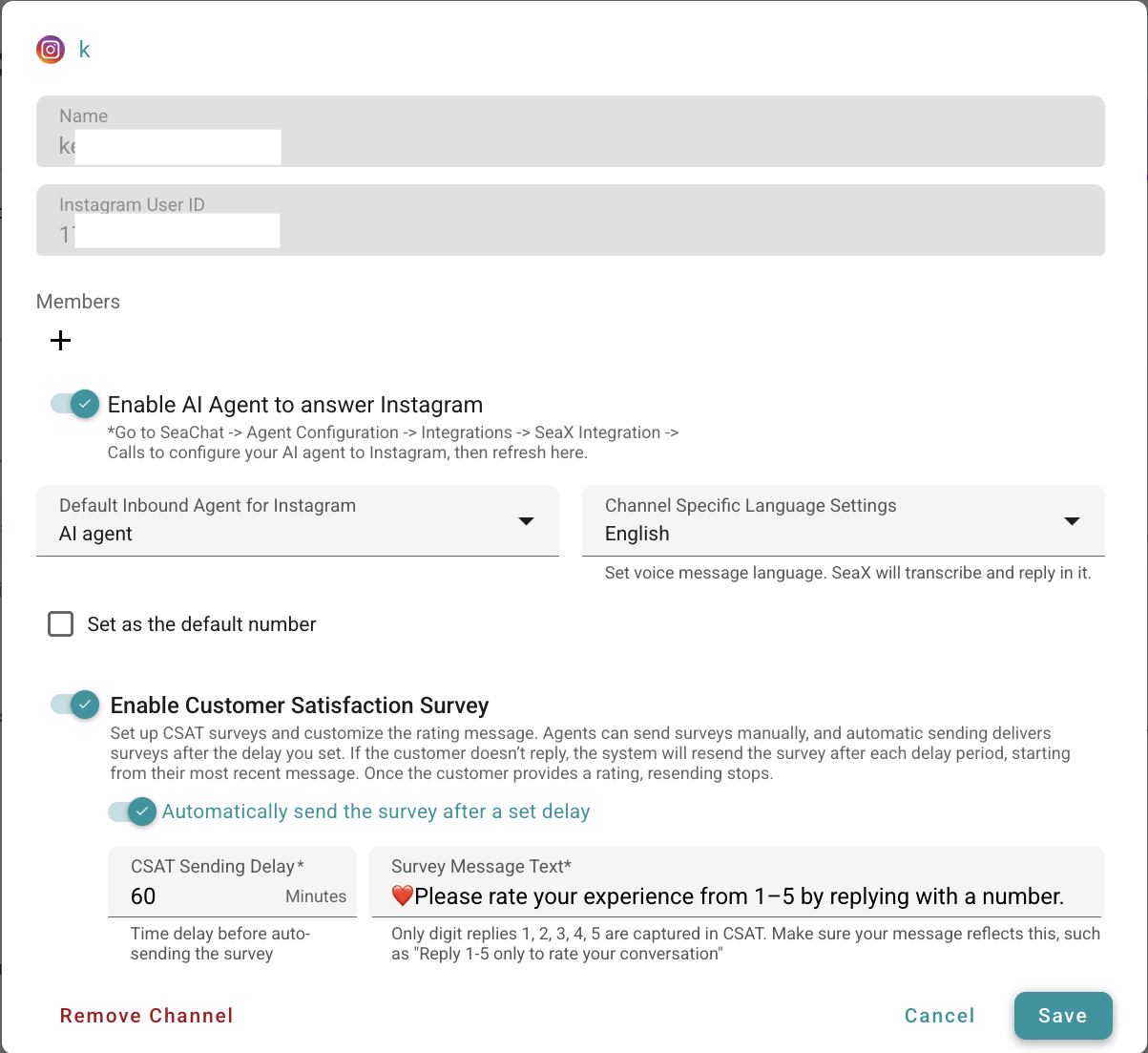
How Auto-Sending Works
- A countdown begins after each inbound user message
- When the delay expires, the survey is automatically sent
- If the customer does not respond with a valid rating, the system will retry sending after each delay window, always based on the most recent inbound message
- Auto-sending triggers once per conversation, but retries continue until a valid rating is received
- Manual sending remains available at all times
How CSAT Reply Parsing Works
Understanding how the system reads customer replies is critical to setting expectations.
When a CSAT survey is sent:
The system monitors the immediate next inbound customer message and interprets it as follows:
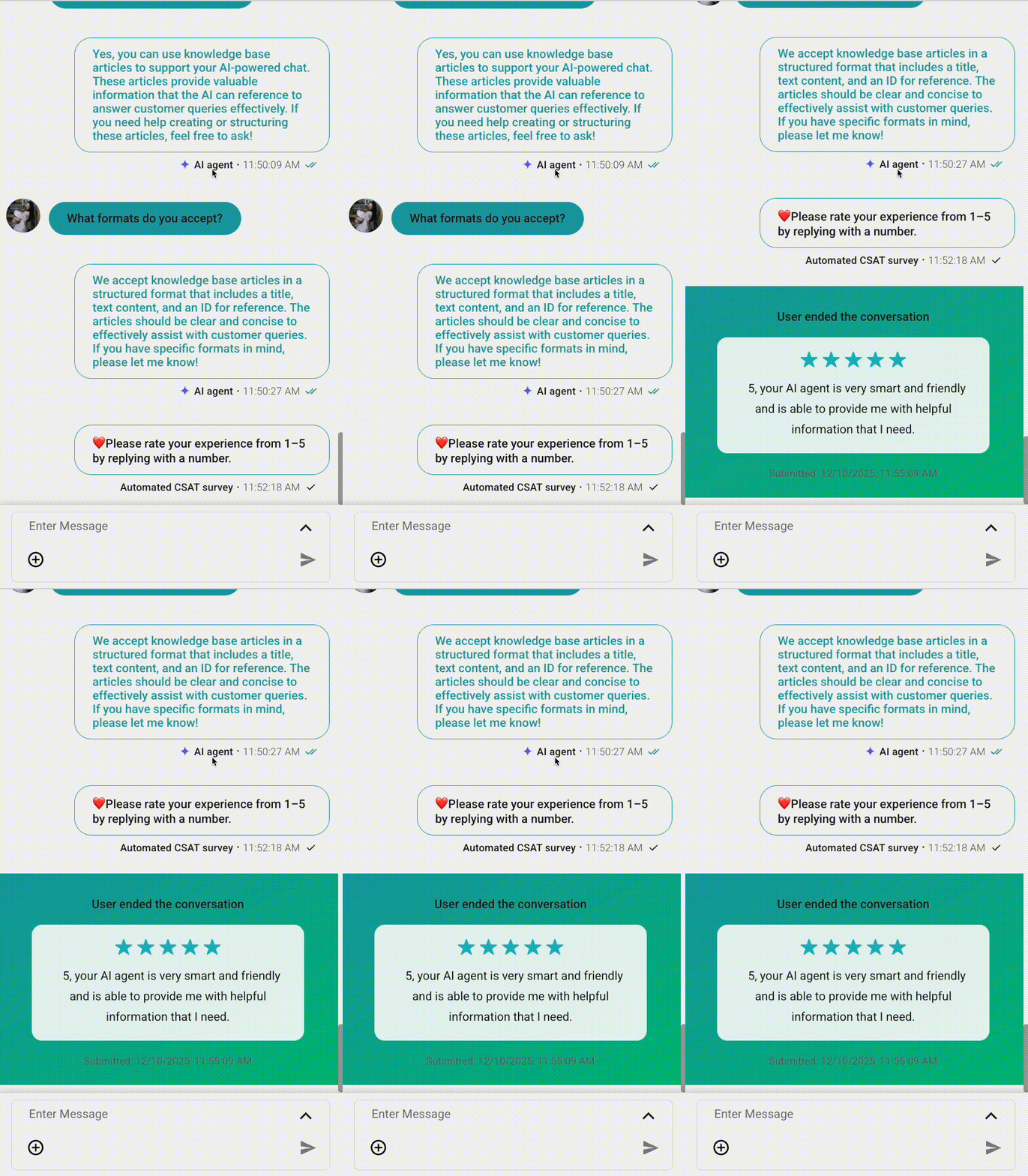
Case 1 — Customer replies with a valid rating (1–5)
- The system successfully parses the rating
- The rating is recorded as the CSAT score
- All automatic resend attempts stop
- No further messages will be considered CSAT replies
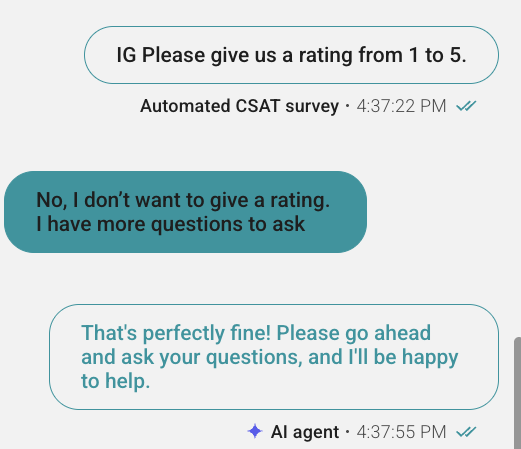
Case 2 — Customer replies with an invalid message
Examples:
- “Thank you!”
- “Okay.”
- emojis
System behavior:
- The system cannot parse a valid rating
- The message is treated as a normal inbound message
- Auto-sending will continue retrying as configured until a valid rating is received
- Agents may manually resend a CSAT survey at any time
This ensures the conversation flow remains natural and customers are never stuck in “survey mode.”
Case 3 — Customer does not reply at all
- As soon as new inbound message arrives, the countdown timer restarts
- Auto-send will retry sending the CSAT survey after the delay expires
- Agents may manually send CSAT whenever appropriate